Help CenterPublic Booking & Customer Experience

Public Booking & Customer Experience

Give customers a branded booking page where they can book appointments and join queues without calling.

4 min read

Your public booking page

Your public booking page
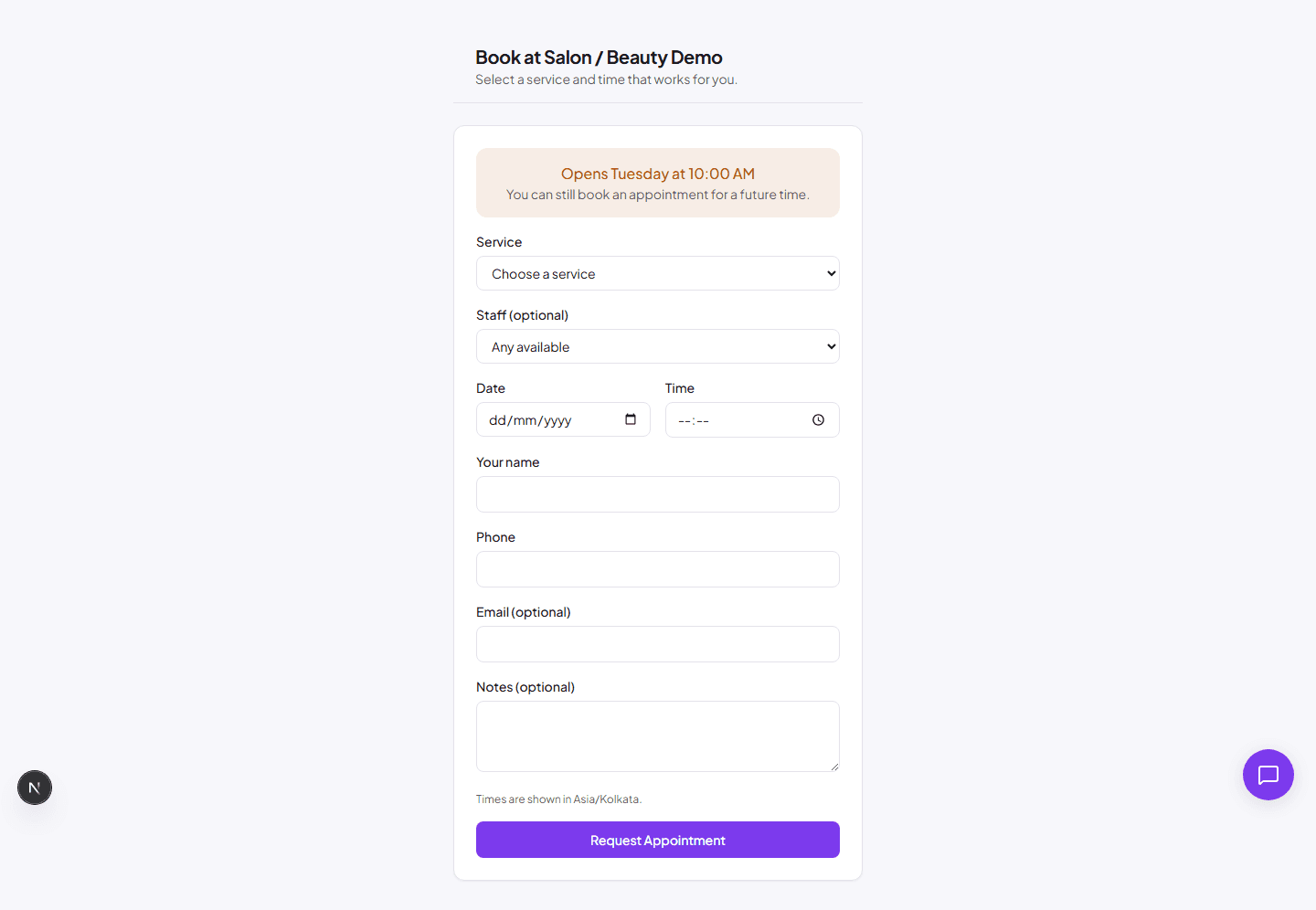
Public booking page lets customers select a service, date, and time without logging in.

Every organization gets a public booking page at /business/your-business-slug/book. Customers can:

  • See your services and prices.
  • Pick a date and time slot.
  • Enter their name, phone, and email.
  • Book an appointment instantly.

To find your link: Go to Settings and look for your public booking URL, or share the page directly from your browser address bar.

Public queues

For businesses that use queues, customers can join remotely and track their position. The queue page is at /business/your-business-slug/queue.

Customer queue experience:

  1. Customer scans your QR code or opens the queue link.
  2. They enter their details and join the queue.
  3. They receive a token and see their live position.
  4. Evernaro notifies them when their turn is near.

Sharing your page

Share your public pages with customers:

  • Copy the booking or queue link from Settings.
  • Add the link to your website, Instagram bio, or Google Business profile.
  • Print the QR code from Queue → QR Codes and place it at your front desk.