Help CenterInbox & Customer Conversations

Inbox & Customer Conversations

Manage all customer messages in one unified inbox, reply across channels, and keep conversation history.

5 min read

Unified inbox

Unified inbox
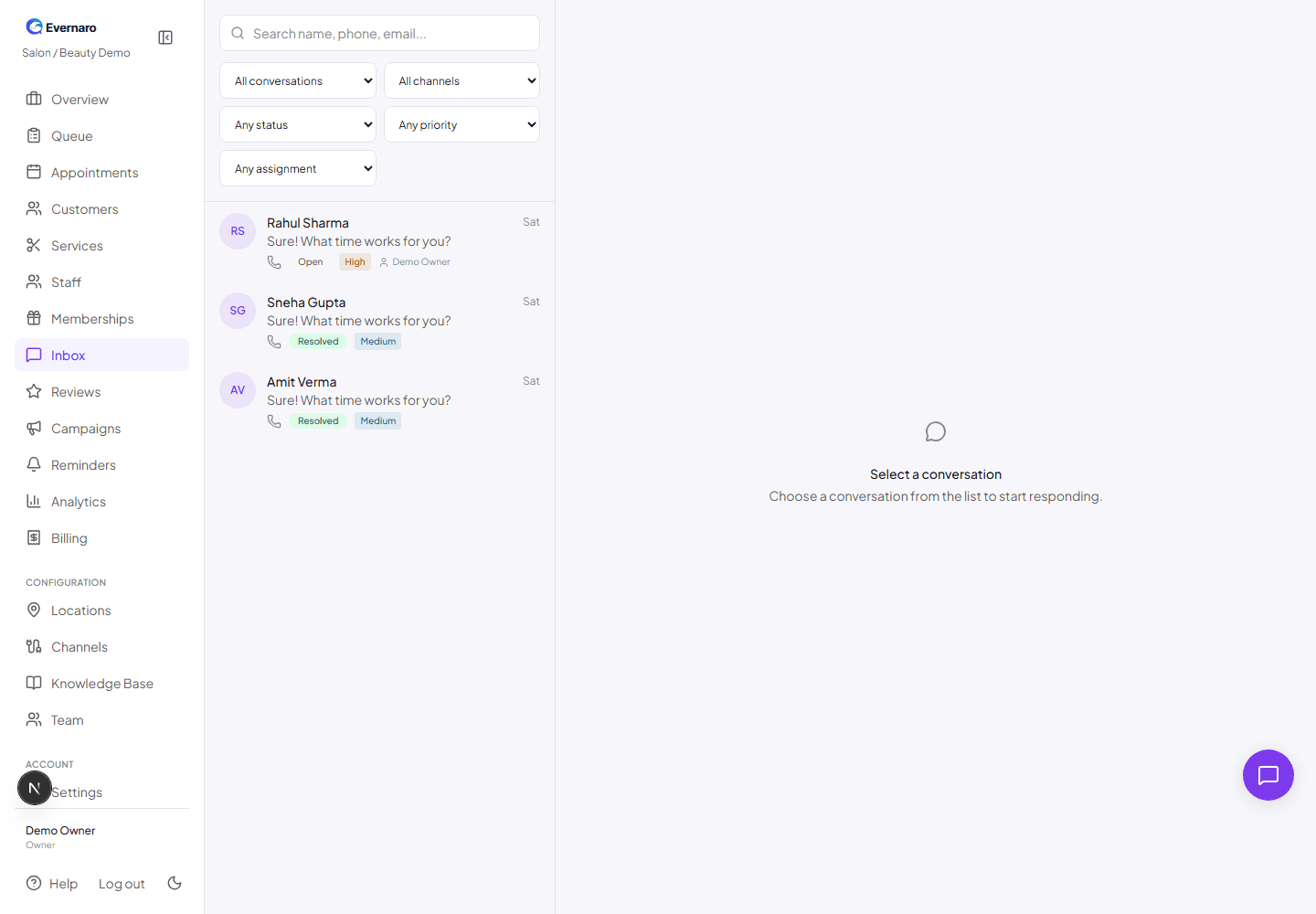
The inbox shows every customer conversation across connected channels with filters and status.

The Inbox brings every customer message into one place, no matter which channel it came from. You can see WhatsApp, Telegram, Email, and Instagram messages side by side.

Inbox features:

  • Search: Find customers by name, phone, or email.
  • Filters: Filter by channel, status (Open, Resolved, Closed), priority, or assignment.
  • Status: Mark conversations as Open, Resolved, or Closed to keep your team organized.
  • Assignment: Assign conversations to specific team members.
  • Customer details: See the customer profile and history next to the conversation.

Reply to a customer

  1. Open the Inbox.
  2. Click a conversation from the list.
  3. Type your reply in the message box.
  4. Click Send. The message goes out on the same channel the customer used.

Note: WhatsApp messages outside the 24-hour service window require an approved template. Evernaro will warn you if a template is needed.

Conversation workflow

A typical conversation flow looks like this:

  1. Customer → Channel: A customer sends a message on WhatsApp, Telegram, Email, or Instagram.
  2. Channel → Evernaro Inbox: The message appears in your unified inbox.
  3. AI draft (optional): Evernaro generates a suggested reply based on your knowledge base.
  4. Staff review: Your team edits or rejects the draft, then sends the reply.
  5. History: The full conversation is saved with the customer record.