Help CenterGetting Started

Getting Started

Create your account, verify your email, and set up your first business on Evernaro.

4 min read

What is Evernaro?

Evernaro is a multi-channel customer communication and appointment-management platform built for Indian businesses such as salons, clinics, restaurants, auto-service centers, and more.

It helps you:

  • Manage appointments, queues, and customer flow in one place.
  • Talk to customers on WhatsApp, Email, Telegram, Instagram, and voice calls.
  • Automate reminders, follow-ups, and review requests.
  • Use AI-drafted replies while staying in full control of every message.
Create your account

Create your account
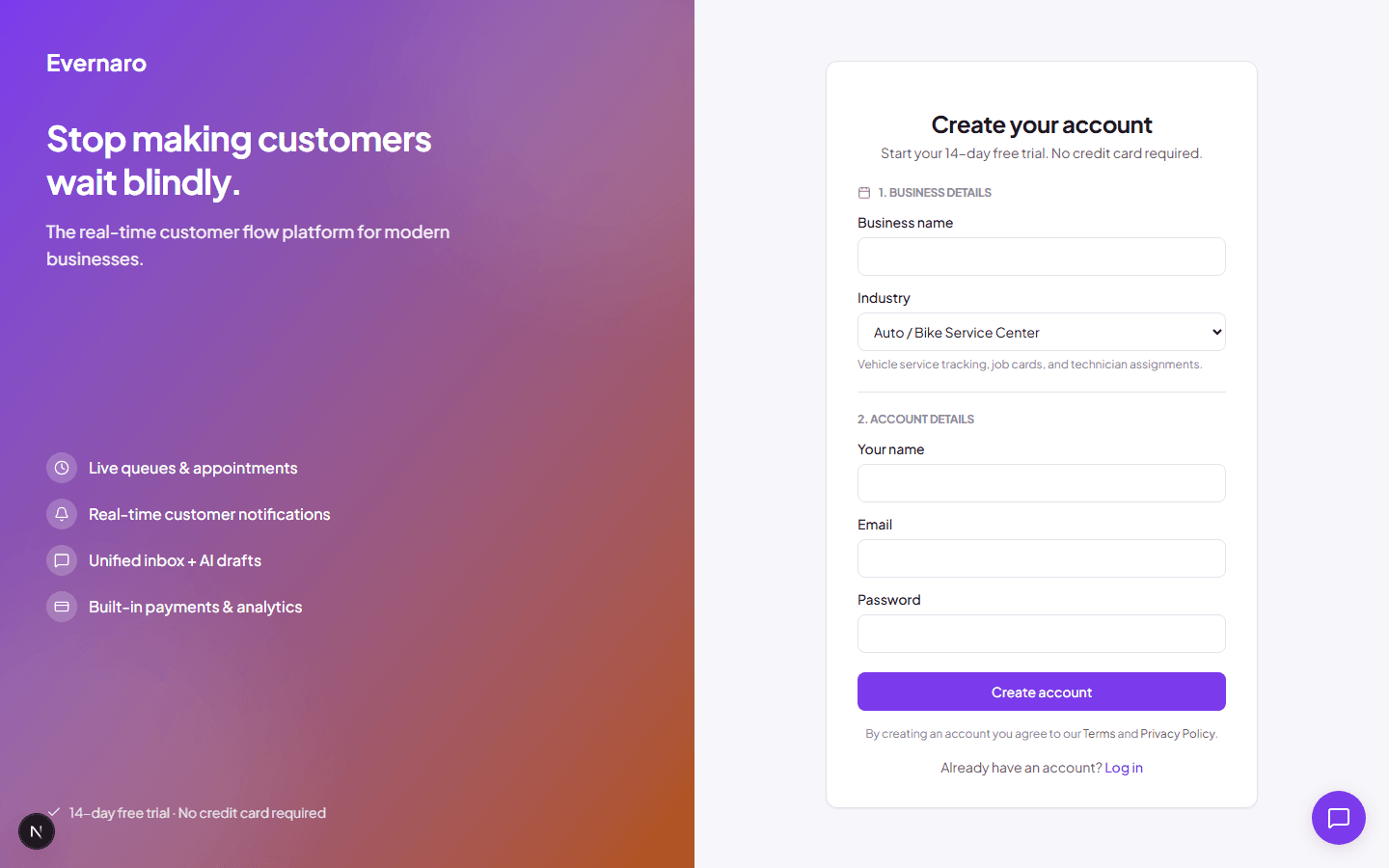
The Evernaro sign-up page where you create your business account.
  1. Open /signup from the Evernaro homepage.
  2. Enter your business name, your name, email, and a secure password.
  3. Select the industry that best matches your business (for example, Salon & Beauty).
  4. Submit the form. Evernaro creates your organization and your owner account in one step.

Tip: Use a business email you can access. You will need it to verify your account.

Verify your email

Verify your email
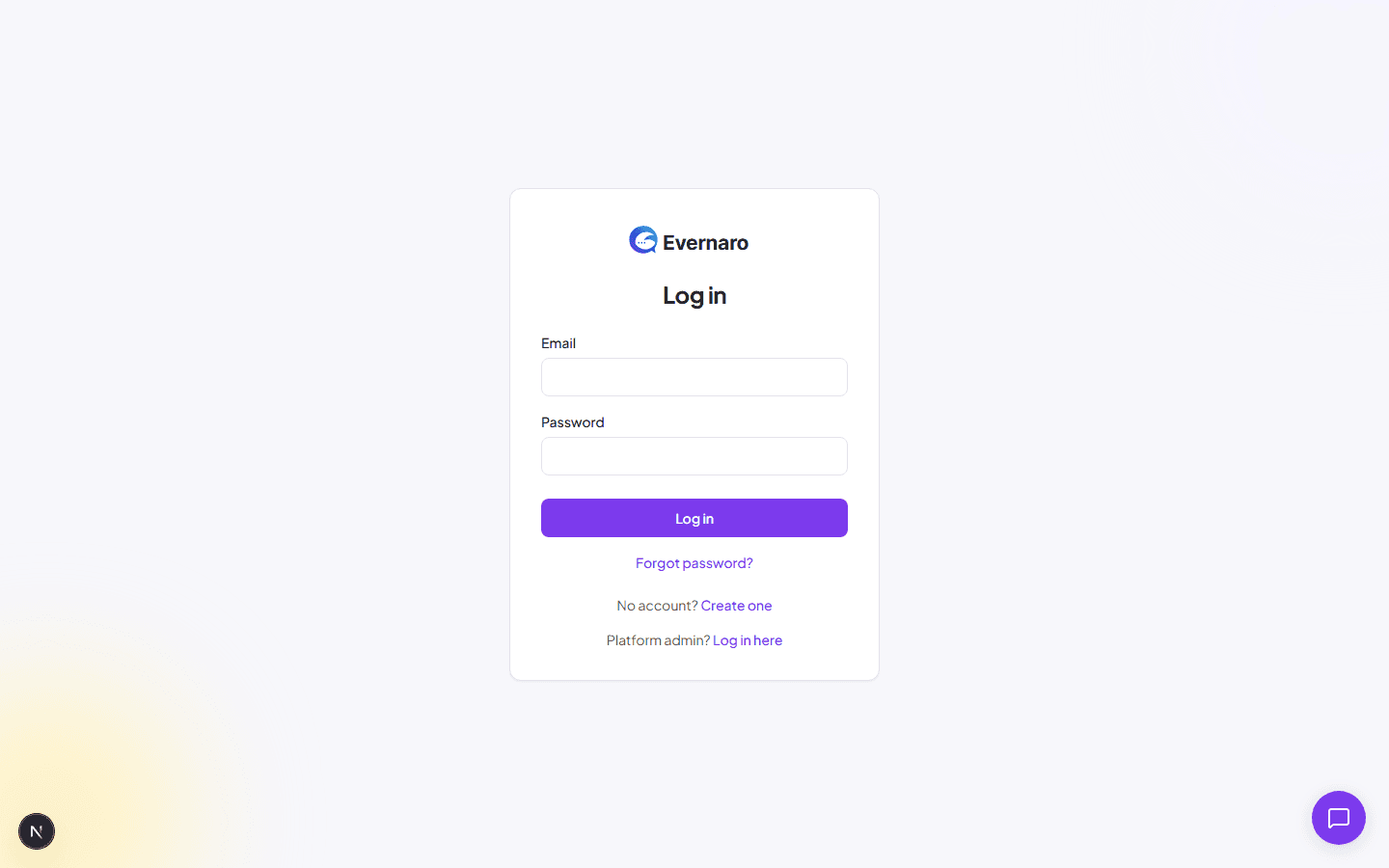
The login page. Some features stay limited until your email is verified.

After signing up, Evernaro sends a verification email to the address you provided. Click the link in that email to activate your account.

If you do not see the email:

  • Check your spam or promotions folder.
  • Log in and click Resend verification email from the banner at the top of the dashboard.

Note: Several features are unavailable until your email is verified. Verification is required for security.

Log in

  1. Go to /login.
  2. Enter your email and password.
  3. If you have enabled MFA, enter the 6-digit code from your authenticator app or a 9-digit backup code.
  4. Click Log in.

Forgot your password? Use the Forgot password? link to receive a reset email.

Your first dashboard view

Your first dashboard view
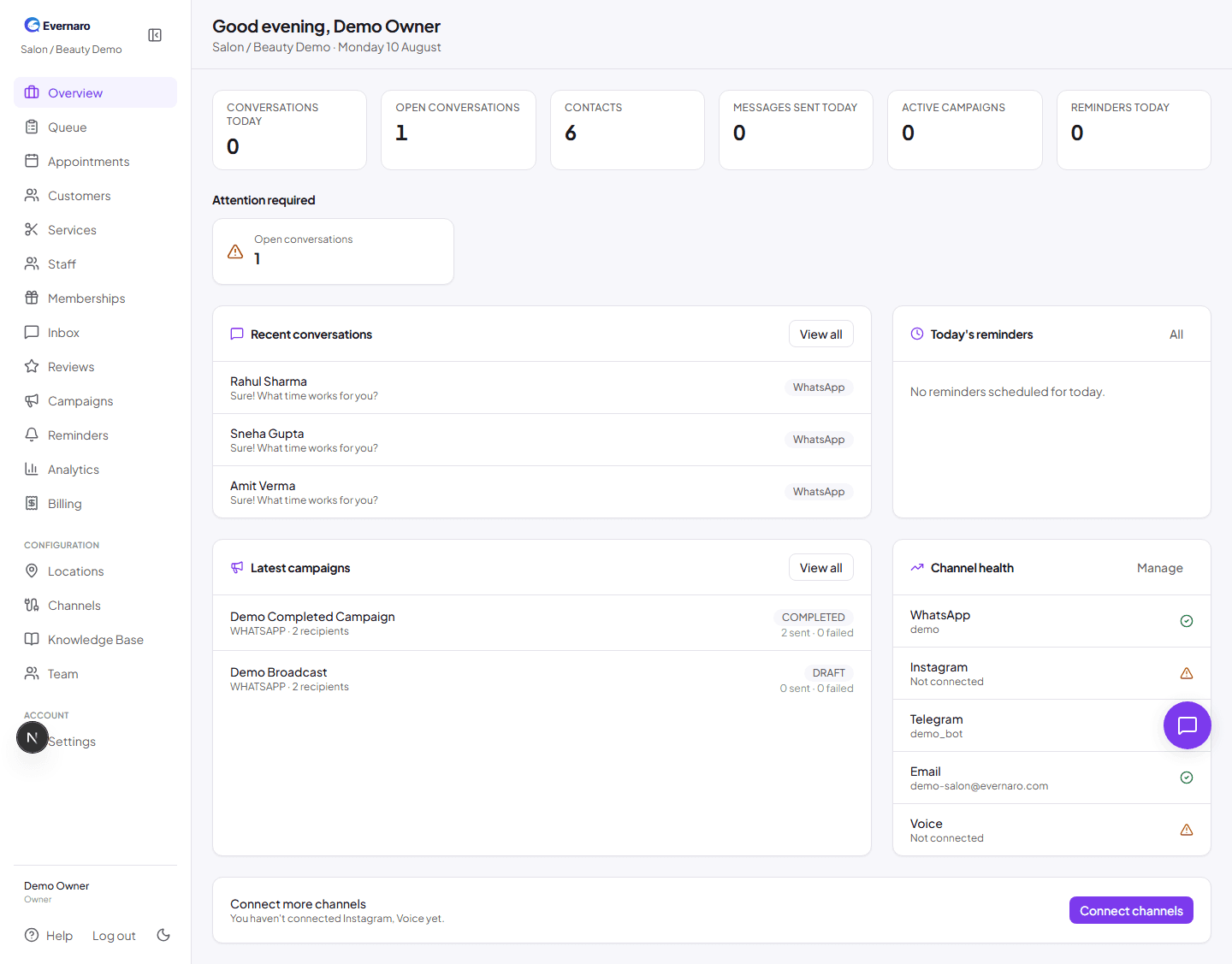
The Evernaro dashboard shows a quick overview of conversations, contacts, campaigns, reminders, and channel health.

Once you log in, the dashboard gives you a quick snapshot of your business:

  • Conversations today: How many customer conversations have started.
  • Open conversations: Conversations that need a reply.
  • Contacts: Total customers in your database.
  • Active campaigns: Campaigns currently sending or scheduled.
  • Reminders today: Reminders scheduled for today.
  • Channel health: Status of WhatsApp, Telegram, Email, Instagram, and Voice.

The left sidebar is your main navigation. It adapts to your industry template, so some items may appear only when relevant (for example, Memberships or Job Cards).